|
3. Changing the text and pictures in textboxes
is like typing Emails (the same interface).
- - - - 

4. “Self-cleaning option”: all unused uploaded pictures
and flash banners will be deleted automatically.

5. You can make all kinds of links easily (from selected
text or pictures in the textbox to outdoor and indoor links).
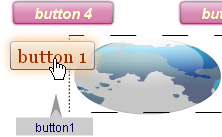
For example: from a picture in text to a big picture or
a movie clip uploaded by this tool:
To create “Online Site Studio KS-2” we
used the next scripts:
ActionScript 3, Php 4, JavaScript 1.2 and usual HTML with
CSS styles.-------------------------
top
^
How to use
Online Site Studio?
1. Download it (it is a zip file).
2. Unzip it.
3. Buy an web space on a server (a php host).
4. Upload all contents from the unzipped folder: “online_site_studio_ks2”
on the server.
For the uploading process you will need a ftp program. We
recommend you to use the freeware and the word fames ftp
program “FileZilla Client”. You can download it from the
following address:
http://filezilla-project.org
5. Type in the browser, address:
http://site-name.admin.php
(“site-name” must be replaced with your actual site name).
6. To enter you will need a password.The first password
is: admin
Important:
1.The php web hosting must allow reading from txt files
and recording txt files (text files). All php hosting with
payment allows for these options.
2. Please when editing use only the browser - Internet Explorer version
8. version
8.
(with higher version is not tested in this moment).
-------------
----------------------------------------------------------
----------------------------------------------- top
^
Download Online
Site Studio
Download
Online Site Studio
----------------------------------------------------------------------------------------------------------------------
top
^
|
 Online
Site Studio
Online
Site Studio